Before trusting any payout tool with an OnlyFans agency, ask seven questions: who holds the money, whose name is on each account, which licensed institution is behind it, what verification it requires, what it documents, what it promises, and what it costs in full. The answers tell you most of what you need to know.
This category is full of vague language. "Automated," "compliant," "bank-grade" and "secure" appear on almost every landing page, and on their own they tell you very little. These questions are meant to cut through that. They work on any tool, including ours.
1. Who actually holds the money?
Tools in this space do very different things. Some only track and report. Some move money themselves. Some are software that sits on top of a licensed bank. Knowing which one you're dealing with is the single most important thing to find out.
- A good answer is specific: the software never holds funds, a licensed banking partner does, and the provider can explain the arrangement. If the tool does hold funds itself, it should be a regulated institution and say so.
- A red flag is vagueness. If a provider can't say clearly who holds the money at each step, or holds client funds without being a regulated institution, stop there.
2. Whose name is on each account, and who holds the login?
Each creator's payout account should be in her own legal name, matching her verified identity, and only she should hold the login. The agency's account should be in the agency's name.
- A good answer is: each account is held in the account holder's own name, and only that person has the credentials.
- A red flag is: "We'll open it in her name, and your team keeps the passwords and 2FA." That arrangement tends to fail the first time a provider asks the account holder to verify her identity, because only she can. We explain why in [separating account management from bank ownership](/blog/separate-account-management-bank-ownership-creator-economy) and [why shared wallets get frozen](/blog/paxum-revolut-onlyfans-agency-account-freeze).
3. Which licensed institution is behind it, and does it knowingly serve this industry?
Several major payment platforms exclude adult content in their published policies, which means a tool built on one of them is exposed even if it looks fine today. We cover the details in [which payment gateways support automated creator splitting](/blog/what-payment-gateways-support-automated-creator-splitting).
- A good answer explains what kind of institution is involved, confirms it knowingly serves adult-adjacent creator businesses, and is willing to talk through the arrangement.
- A red flag is "we work with everyone," no answer at all, or any advice to describe your business as something else to get approved. Misrepresenting what a business does to a bank is a bigger risk than the problem it's meant to solve.
4. What verification does it require?
Real financial infrastructure verifies both sides: corporate documents for the agency, and identity checks for each creator. That's more work up front, and it's a good sign. A tool that skips verification isn't being convenient, it's moving the risk onto you.
- A good answer describes the checks for the agency and for each creator, and explains who carries them out.
- A red flag is "no documents needed" or "start moving money in minutes" for a service that handles other people's earnings.
5. What gets documented, and can you take it with you?
You need records that hold up if a bank, an accountant or a creator ever asks where a number came from.
- A good answer shows a sample statement, gives both sides the same reconciled figures, and lets you export your history.
- A red flag is numbers only one side can see, no export option, or records you lose access to if you leave. See [how a shared ledger removes the "what did I earn" texts](/blog/eliminate-creator-cash-flow-friction-onlyfans-agency).
6. What does it promise?
Nobody can promise that an account will never be reviewed, flagged or frozen. Platforms and banks run checks for their own reasons, and no payout structure controls that.
- A good answer says what the structure does and doesn't remove: it can take away risks caused by shared logins or mismatched accounts, but it can't guarantee against every review.
- A red flag is absolute language: "100% safe," "never get banned," "zero risk," or guaranteed revenue outcomes. The more certain the promise, the less weight it deserves.
7. What does it cost, in full?
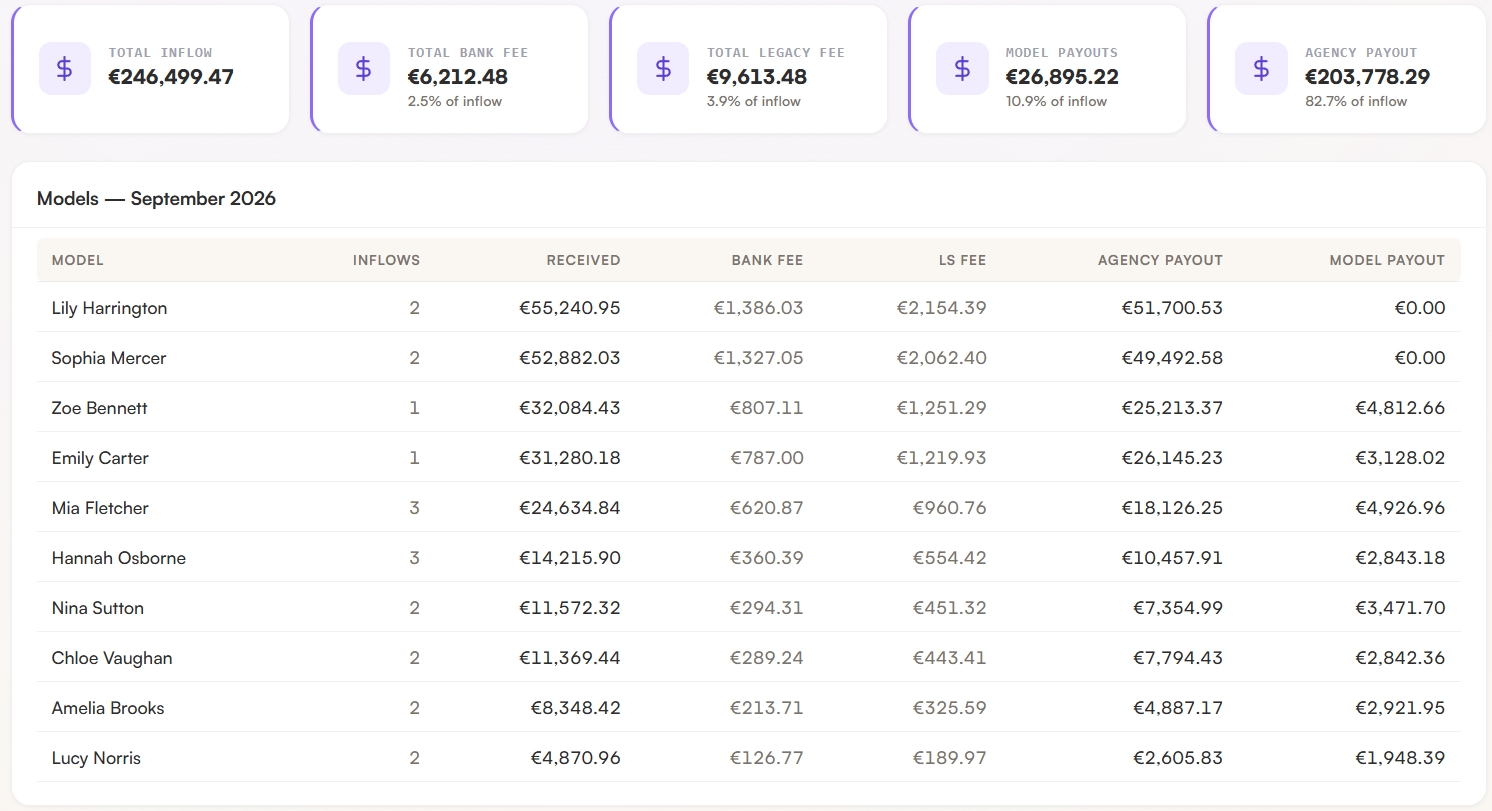
Ask for every fee: the percentage of inflow, any fixed or per-transaction banking fees, how tiers change with volume, setup or onboarding fees, and anything charged to the creator. Then ask for a worked example using your own weekly volume.
- A good answer is itemized, shown inside the product, and expressed as both an amount and a percentage. Also confirm what the percentage applies to, which matters as much as the number. See [gross vs. net contract math](/blog/gross-vs-net-onlyfans-contract-math).
- A red flag is "custom pricing" with no breakdown, a low headline rate with fees elsewhere, or terms that can change without notice.
How to use this list
A tool doesn't have to be perfect on all seven. But vagueness on questions 1 to 3 should stop you, because those decide who controls the money and what happens if something goes wrong. Questions 4 to 7 tell you how much care went into everything else.
Ask the same questions of every tool you're comparing, in writing, and keep the answers.
Where Legacy Solutions stands on these
Since we're asking you to hold other tools to this list, here are our answers.
1. Who holds the money? Legacy is software. It never holds, receives or transfers funds. A licensed banking partner does. 2. Accounts and logins. Each creator's account is in her own name and she holds her own login. Neither side has the other's credentials. 3. The institution. Legacy is built for adult-creator agencies and works with licensed banking partners. We're happy to explain the arrangement on a call. 4. Verification. The agency completes corporate verification. Each creator completes ID, a liveness check, proof of address, proof of funds and a tax ID. 5. Documentation. A live dashboard, a portal for each creator, weekly statements and CSV exports. 6. Promises. We don't promise an account will never be reviewed. We remove the risks caused by shared credentials and mismatched accounts. 7. Cost. Every fee is shown in the software as an amount and a percentage of inflow, and we'll walk through a worked example on your numbers.
Don't take our word for it either. Ask us the same seven questions. If you'd like to, you can apply at legacysolutions.vip. It takes two minutes, and we answer either way within 48 hours.
Frequently asked questions
What is the biggest red flag in a payout tool?
Any tool that asks for a creator's passwords or 2FA codes, or that can't say clearly who holds the money. Either one means you don't know where the risk sits.
Does a payout tool have to be a bank?
No. Software that sits on top of a licensed banking partner can work well. What matters is that you know which part is software and which part is the regulated institution, and that the provider can explain it plainly.
Is the cheapest option the best option?
Not necessarily. Compare the total cost, including fixed and banking fees, and what the price covers, such as verification, documentation and support. A cheap tool that skips verification or documentation moves cost and risk onto you.
Can I use this checklist for tools I already use?
Yes. If you already have a payout setup, run it through the seven questions. If you can't answer one of them, that's worth finding out.